UX/UI Design
Building SaaS
A working reference for designing multi user, multi tenant software: sign in and security, tenancy, roles and seats, the app shell, tables and bulk actions, collaboration, billing and its failures, admin and audit, performance, accessibility and the metrics that show it is working. The decisions that recur in every SaaS product and are expensive to unwind later.
Muhammad Saud Musaddiq15 min read
Anatomy of SaaS
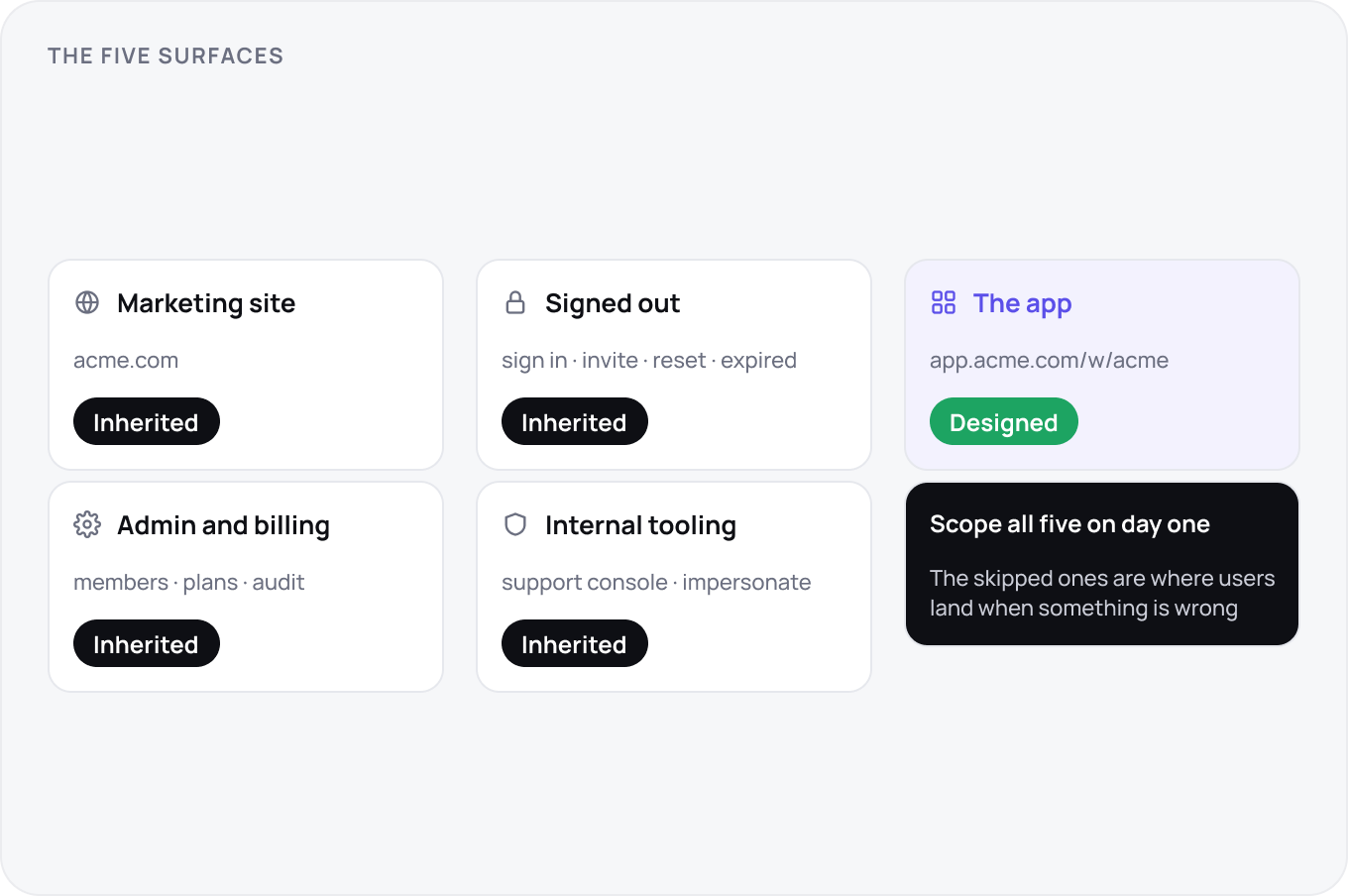
Every SaaS product has five surfaces whether you design them or not: the marketing site, the signed out states (sign in, invite, reset, expired), the app, the admin and billing area, and the internal tooling your own support team uses. Teams design the app and inherit the other four. Scope all five on day one, because the ones you skip are the ones users meet when something has gone wrong.
Tenancy and Workspaces
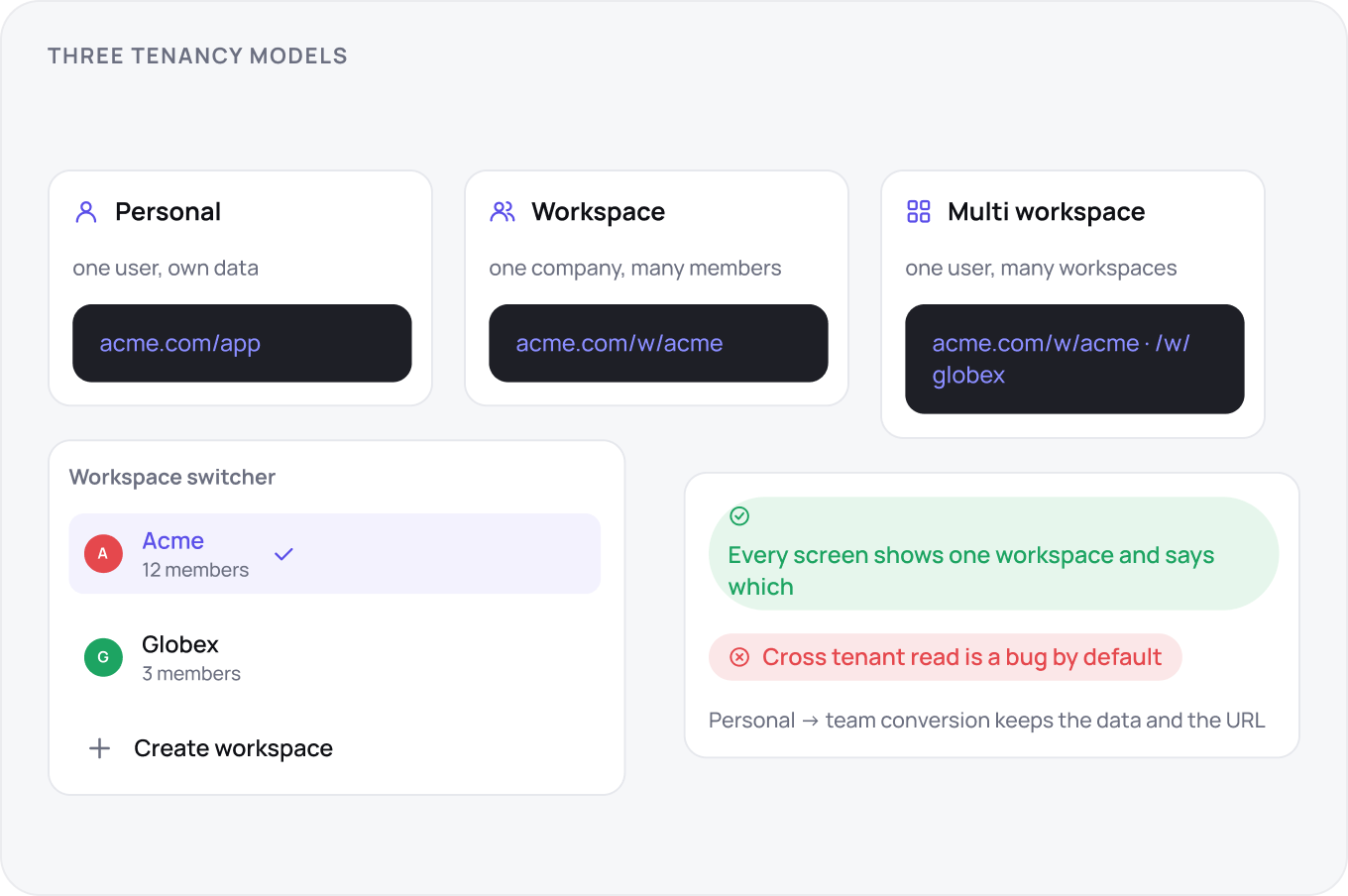
Decide the tenancy model before the first screen: one user with personal data, one workspace per company, or one user in many workspaces. The choice sets the URL structure, the switcher, what a share link can reach and whether a personal account can convert to a team later. Cross tenant reads are a bug by default; every screen shows exactly one workspace and says which.
Accounts and Sign In
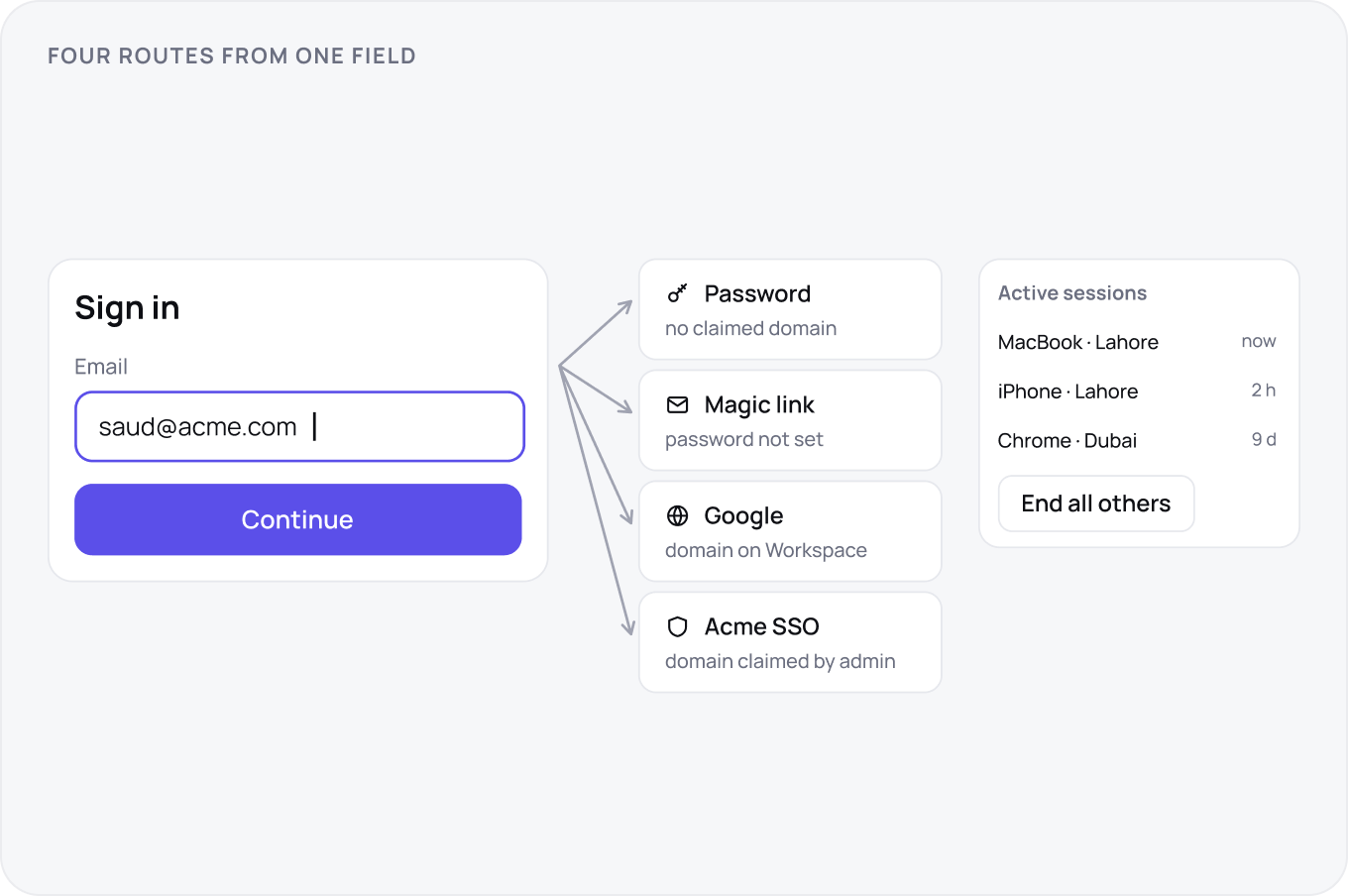
Sign in starts with one field, the email, and routes from there: password, magic link, Google, or the company SSO if the domain is claimed. Domain capture means anyone with @acme.com lands in the Acme workspace, with an admin approving if the workspace is closed. Session length is a workspace setting and the user can see and end every active session.
Security and Enterprise Readiness
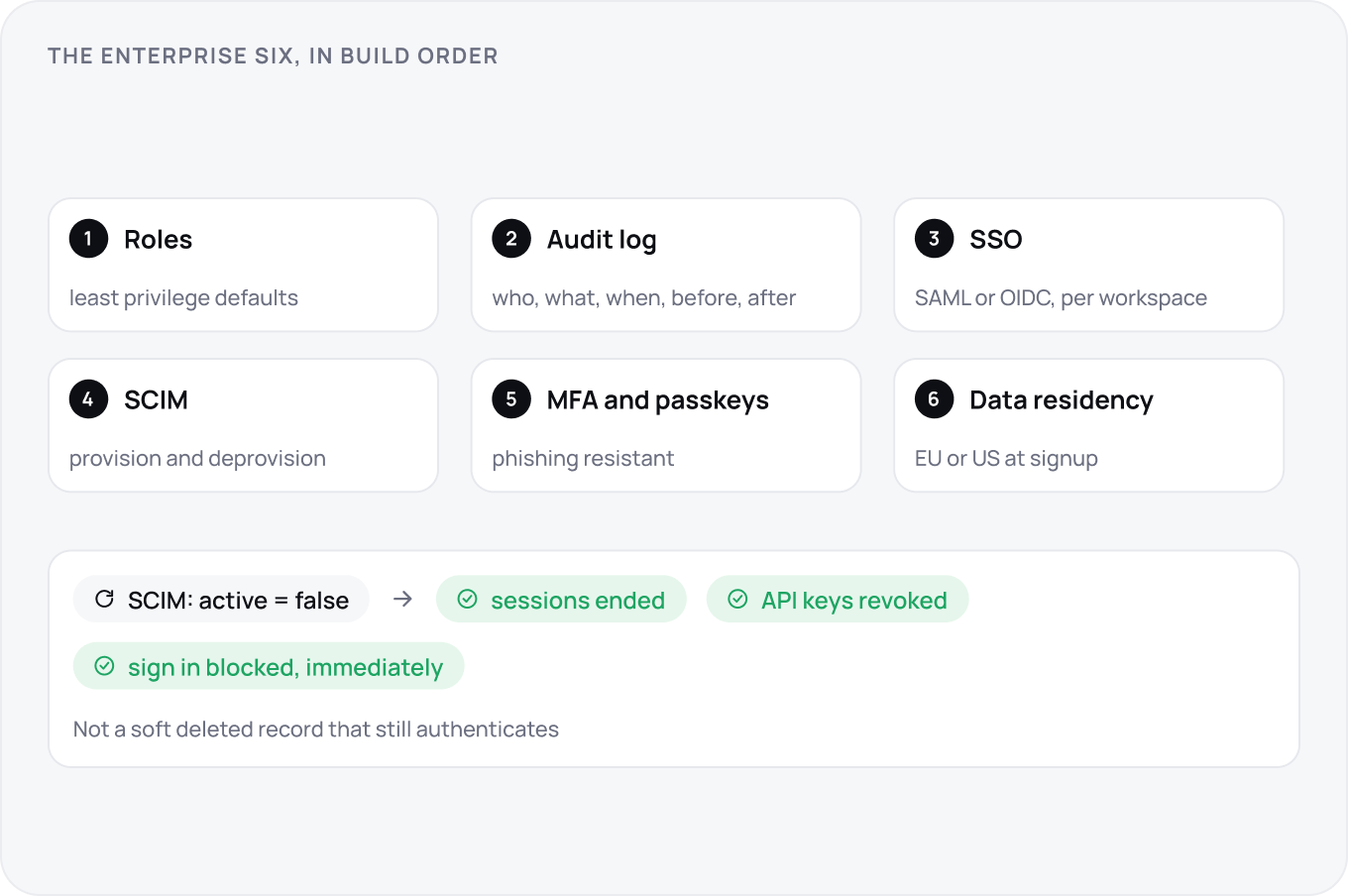
Enterprise buyers ask for the same six things in every questionnaire: MFA with passkeys, SAML or OIDC SSO per workspace, SCIM provisioning and deprovisioning, an audit log, role based access with least privilege defaults and data residency. Build in the order customers ask: roles, audit log, SSO, then SCIM. Removing a user through SCIM must end their sessions and API keys immediately, not soft delete a record that still authenticates.
Roles, Members and Seats
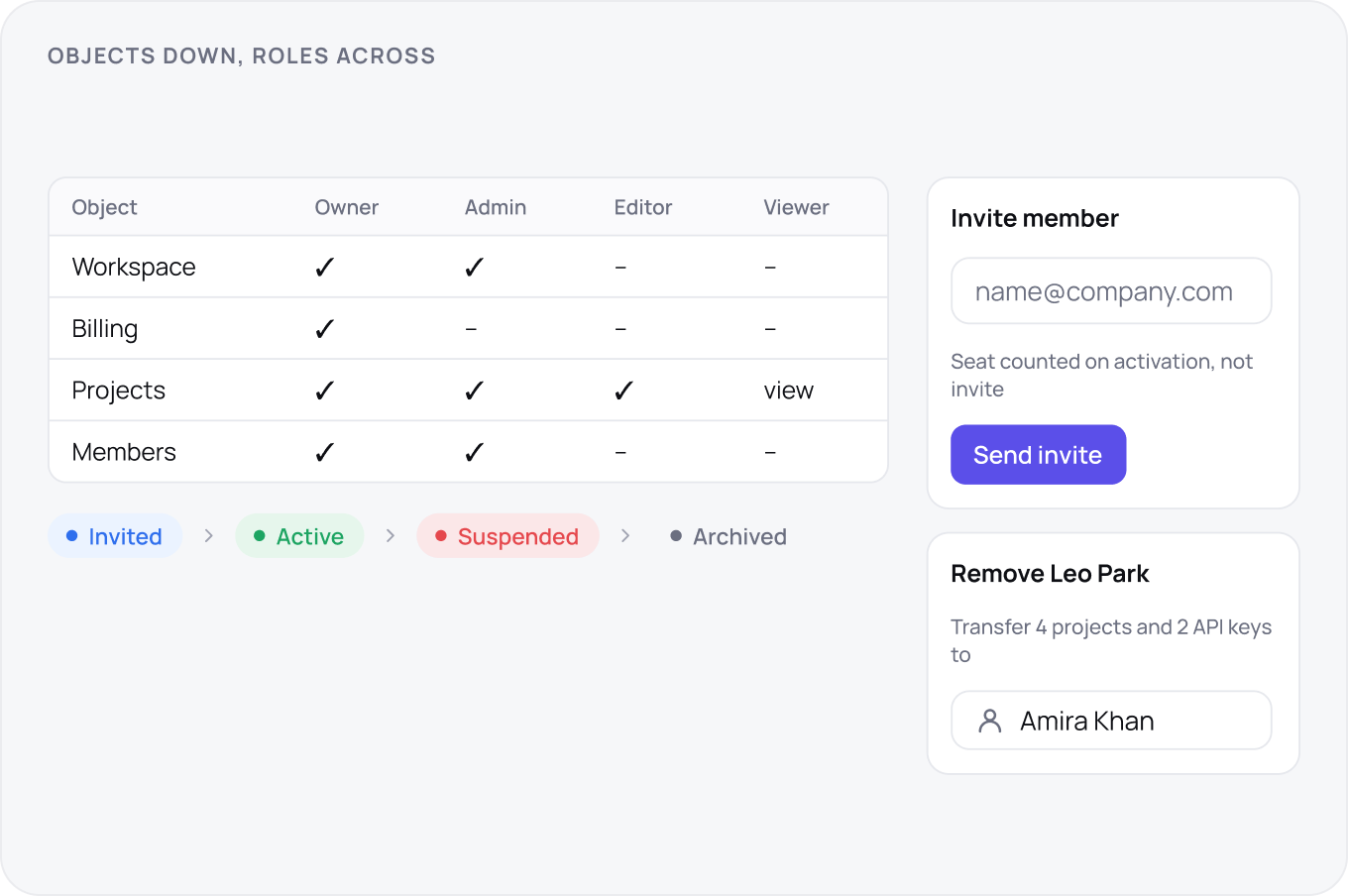
Roles are a matrix, objects down and roles across, published where admins can read it. Members move through invited, active, suspended and removed, and each state has a visible reason. Seats are counted at the moment that matters for billing, invite or activation, and the invite screen says which. Offboarding transfers ownership of everything the person owned before the account closes.
Information Architecture and Navigation
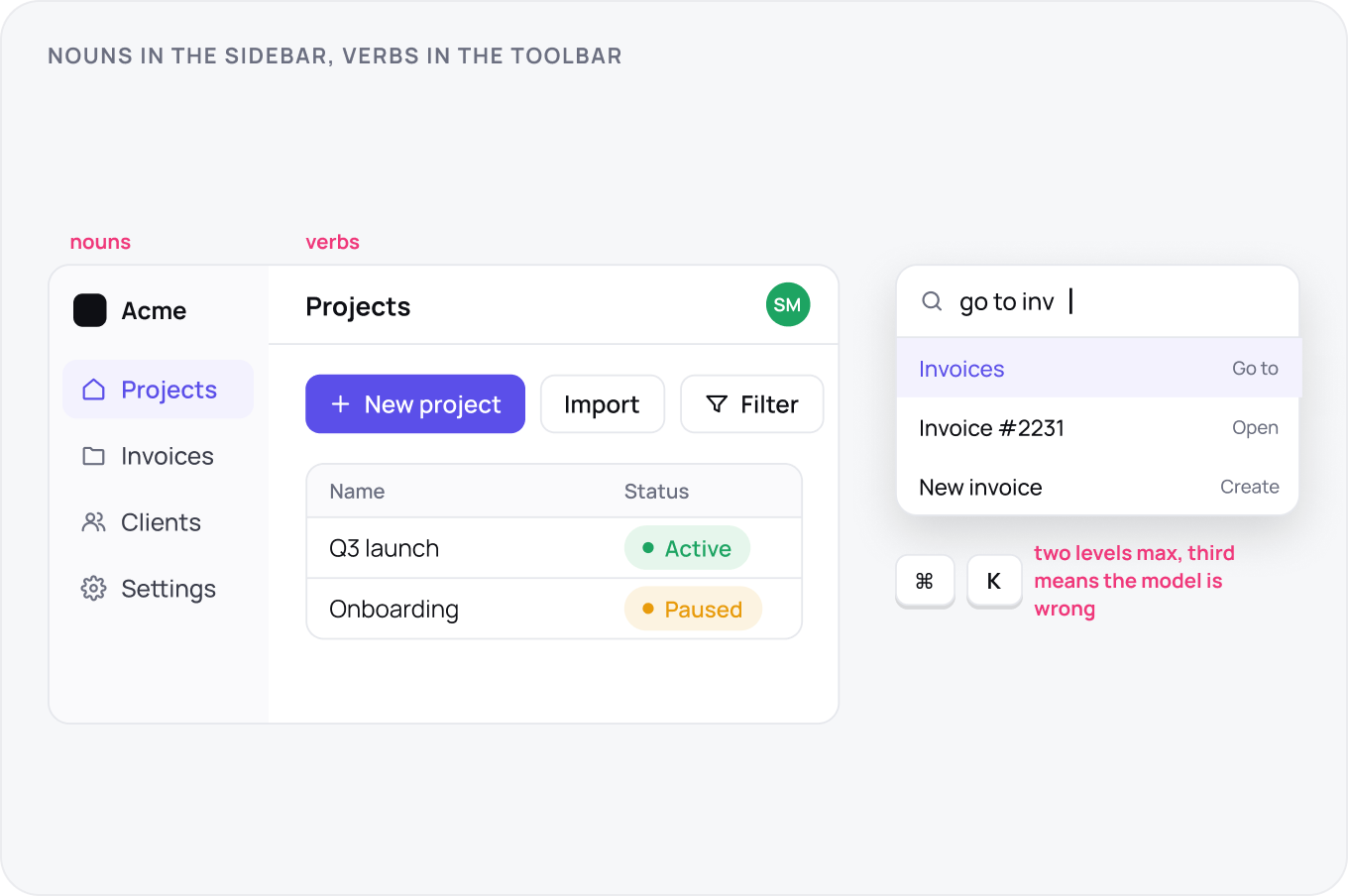
Navigation follows the object model: nouns the user owns in the sidebar, verbs in the toolbar, settings at the bottom. Two levels is the limit; a third level means the object model is wrong. Tree test the labels before building. Add a command palette early, ⌘K, because power users will navigate by typing within a month and it doubles as search.
The App Shell
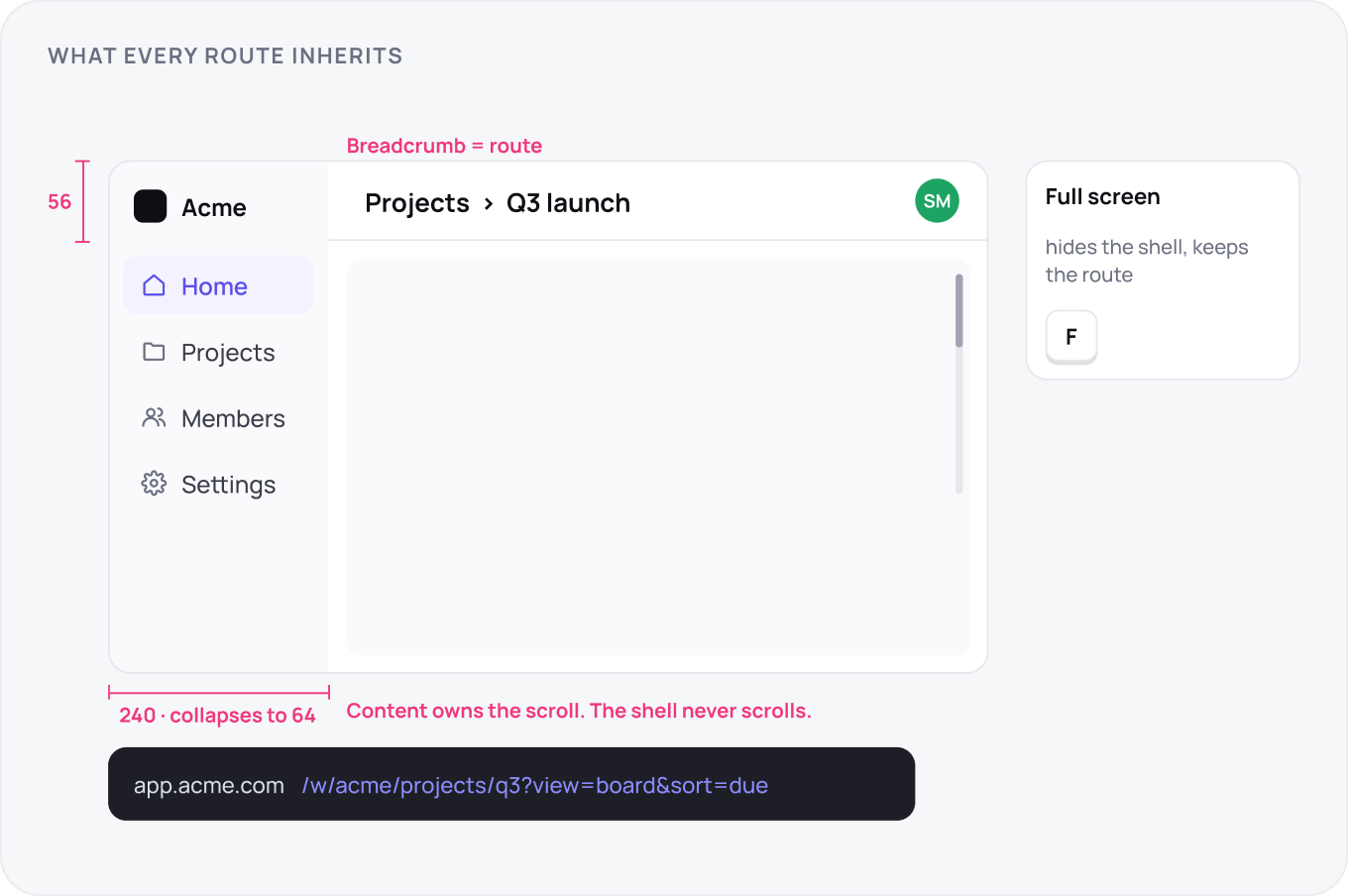
The shell is what every route inherits: a sidebar of 240 collapsing to 64, a 56 topbar with breadcrumb, search and account, and a content area that owns its own scroll. The shell never scrolls. Every route has a URL that can be shared and reopened to the same state. Editors and canvases get a full screen mode that hides the shell without losing the route.
Components, States and Formats
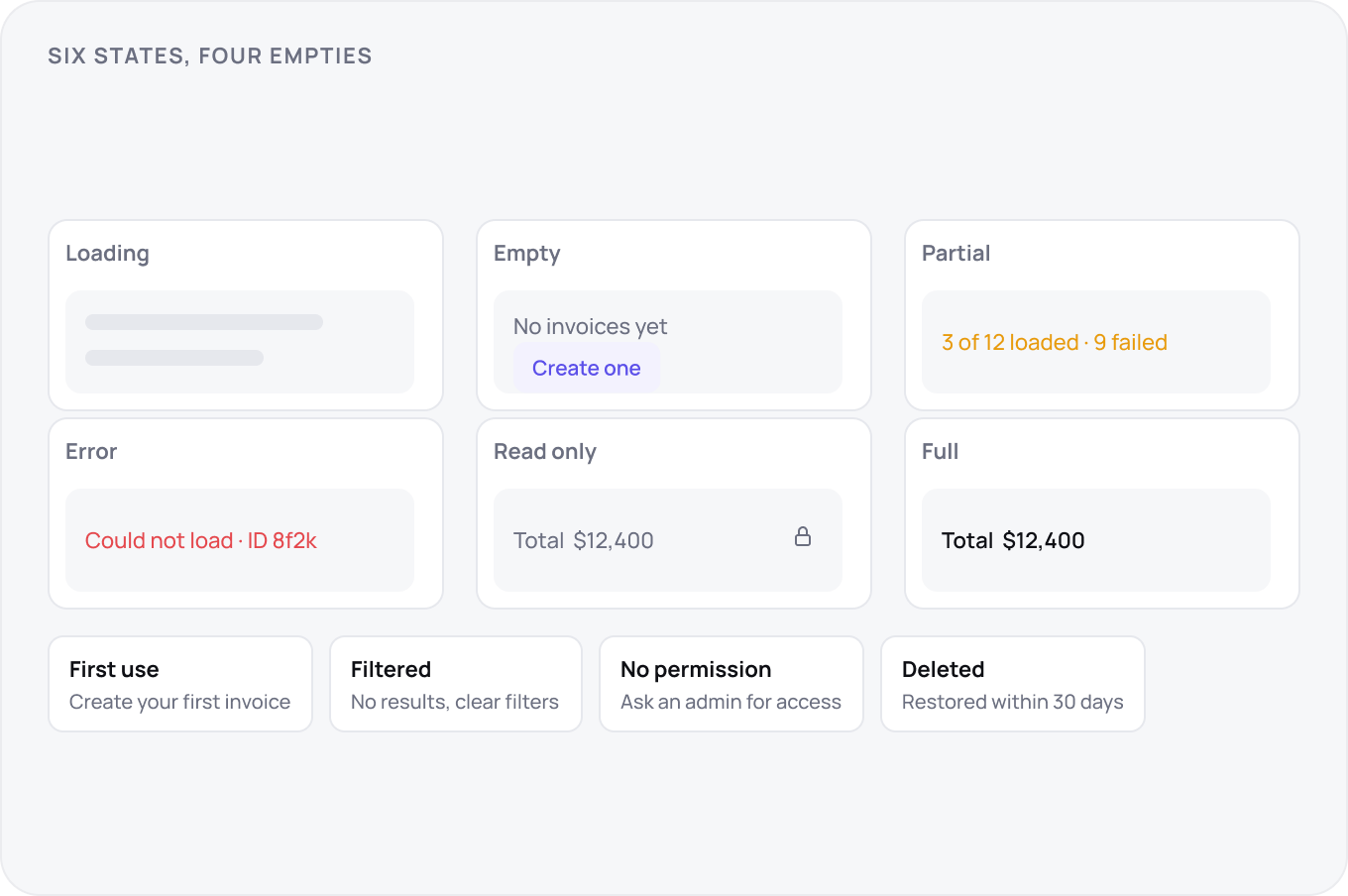
Every component in a SaaS app owes six states: loading, empty, partial, error, read only and full. There are four kinds of empty: first use, filtered to nothing, permission denied and deleted, and they need different copy. Formats are a workspace setting: date, number, currency, time zone, and every number on every screen honours it.
Onboarding, Import and Export
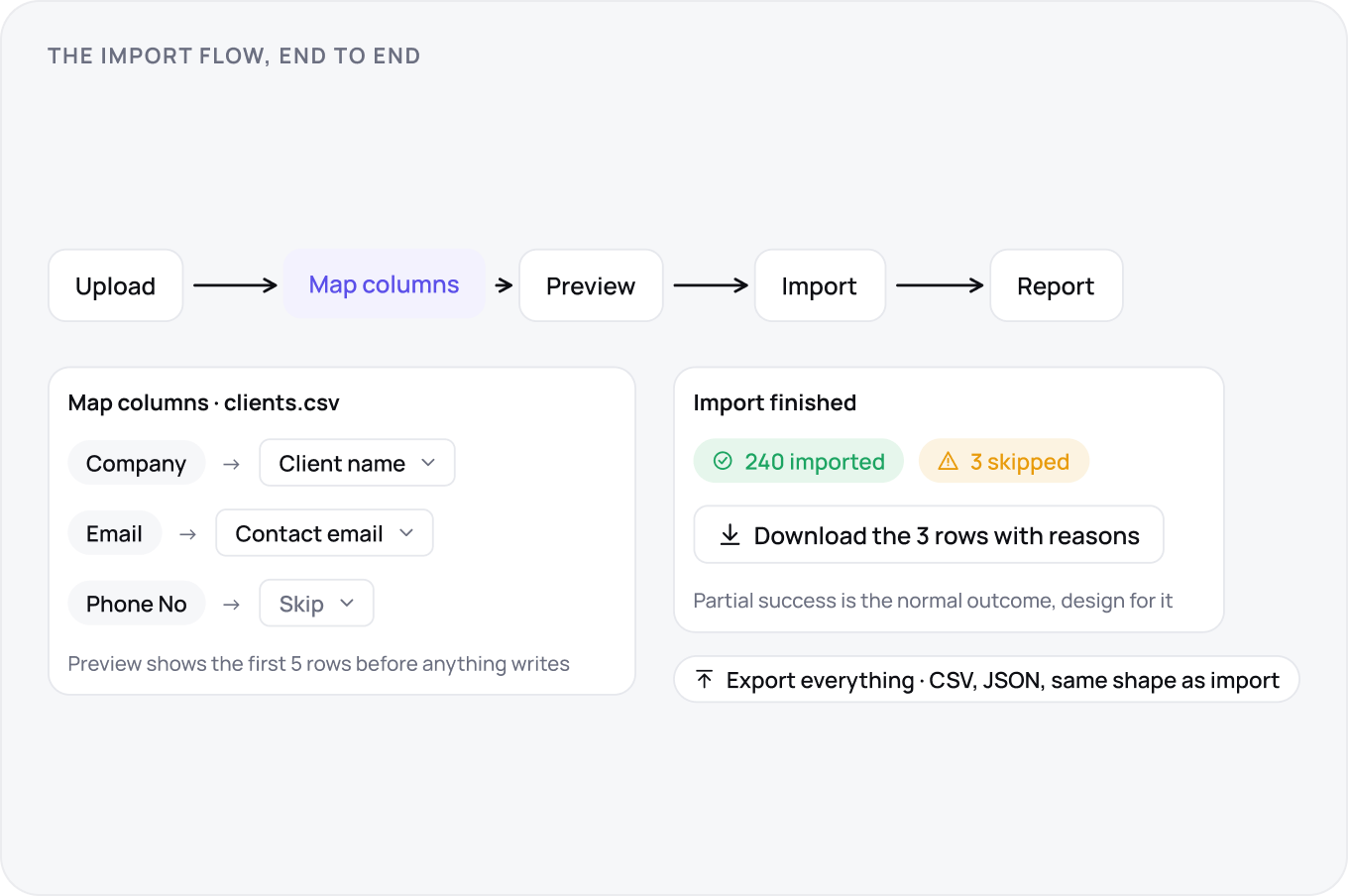
Onboarding is a race to the first real result with the user's own data, so import comes before the tour. Import maps columns visibly, previews the first rows, and finishes with partial success: 240 rows in, 3 skipped, here is the file of the three. Export is the same shape in reverse and covers everything, because a product that traps data is a product people leave angrily.
The Object Lifecycle
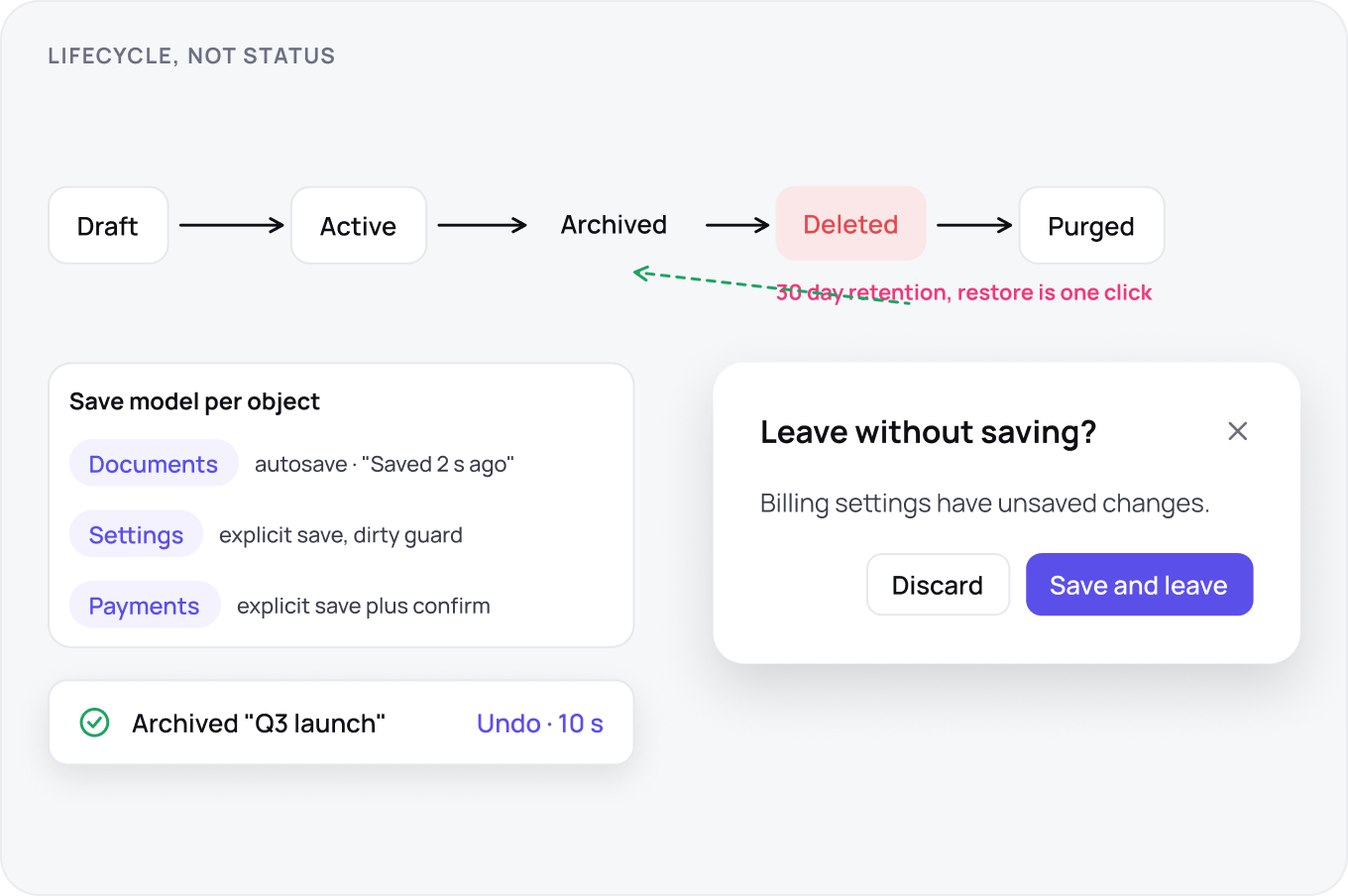
Decide the save model per object type: autosave for documents, explicit save for settings and anything with side effects. Guard dirty state on navigation. Archive hides and preserves; delete removes with a retention window, 30 days, during which restore is one click. Undo covers every reversible action for at least ten seconds and says what it will undo.
Tables, Views and Bulk Actions
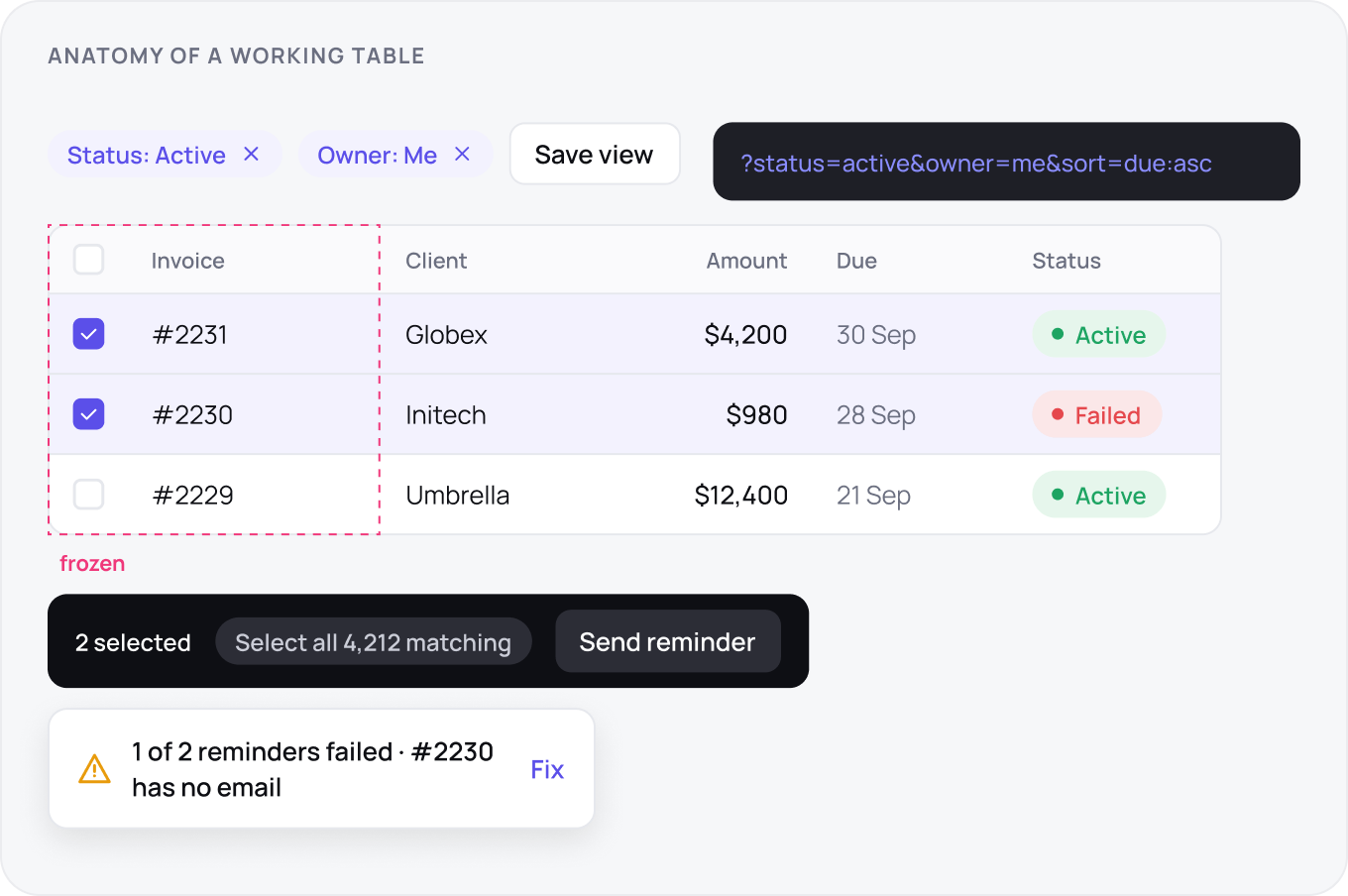
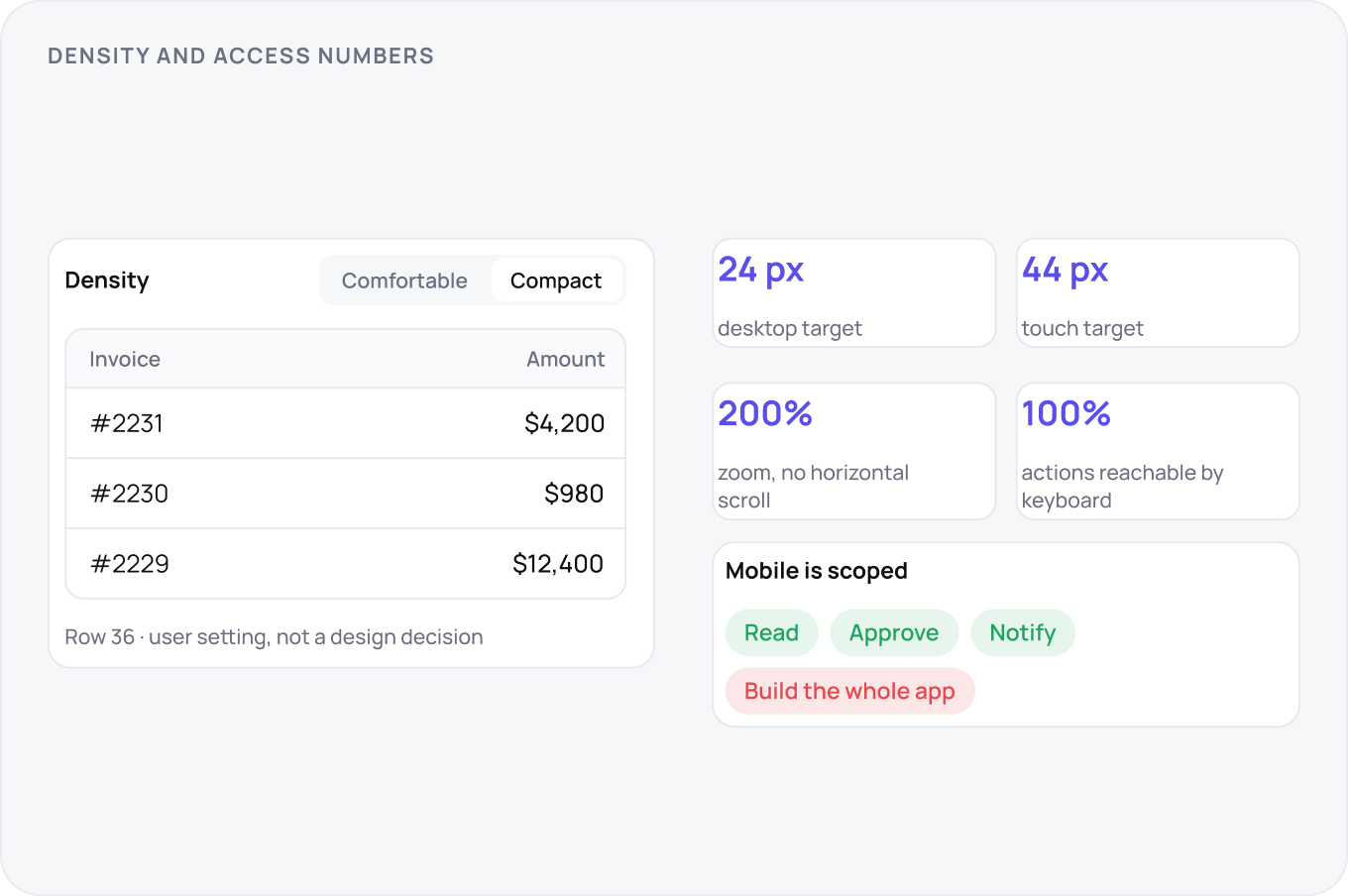
The working table is the heart of most SaaS apps. Rows 48 or 36, first column frozen, sort and filters in the URL so a view can be saved and shared. Select all offers this page or all 4,212 matching, and says which. Bulk actions report partial failure per row, never a single error for a batch that half succeeded.
Collaboration and Sharing
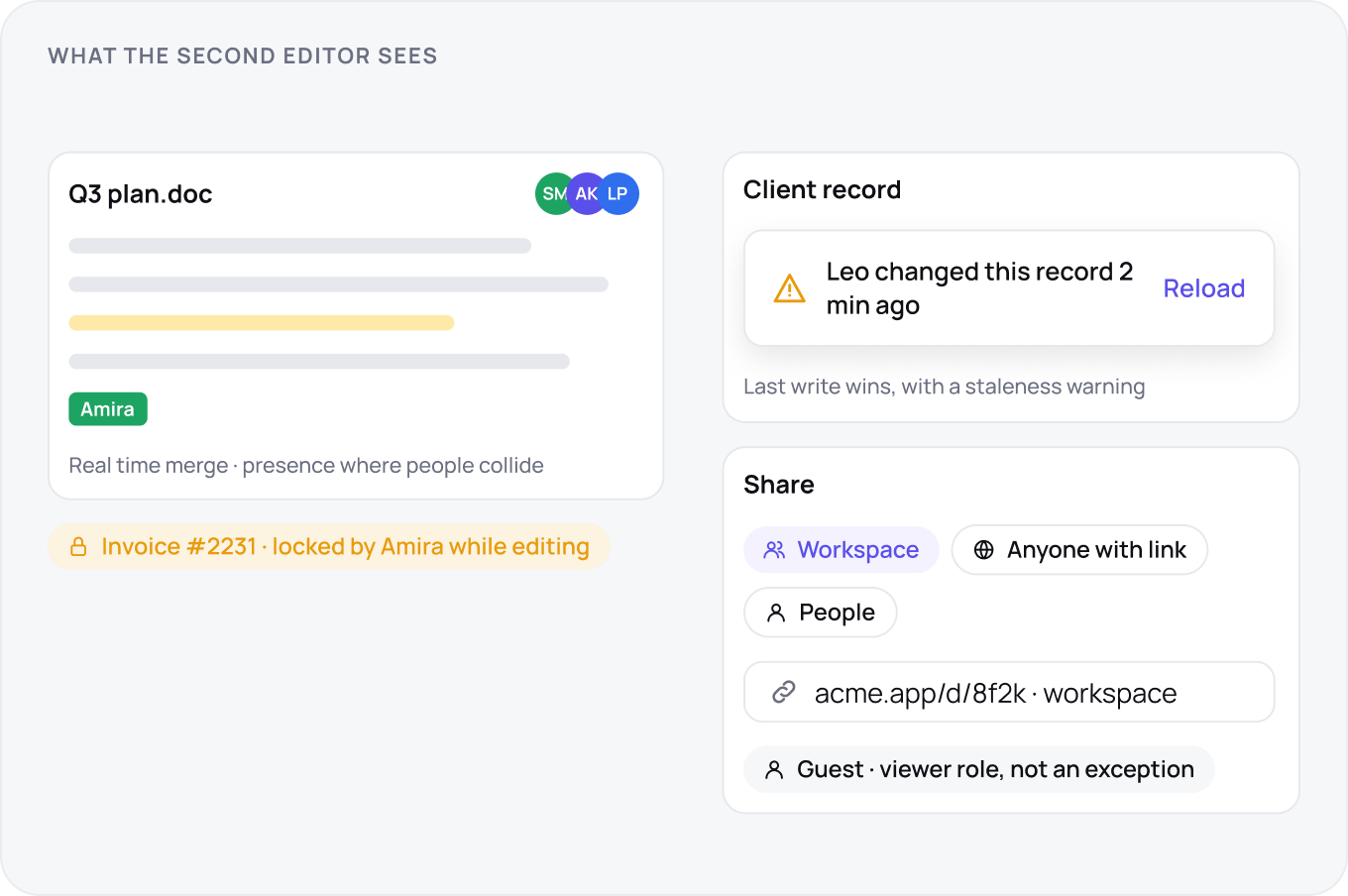
Pick a concurrency model per object: real time merge for documents, last write wins with a staleness warning for records, soft locking for anything financial. Show presence where two people can collide. Share links have a scope, workspace, anyone with the link, specific people, and the scope is visible on the link itself. Guests get a role, not an exception.
Assistive Features
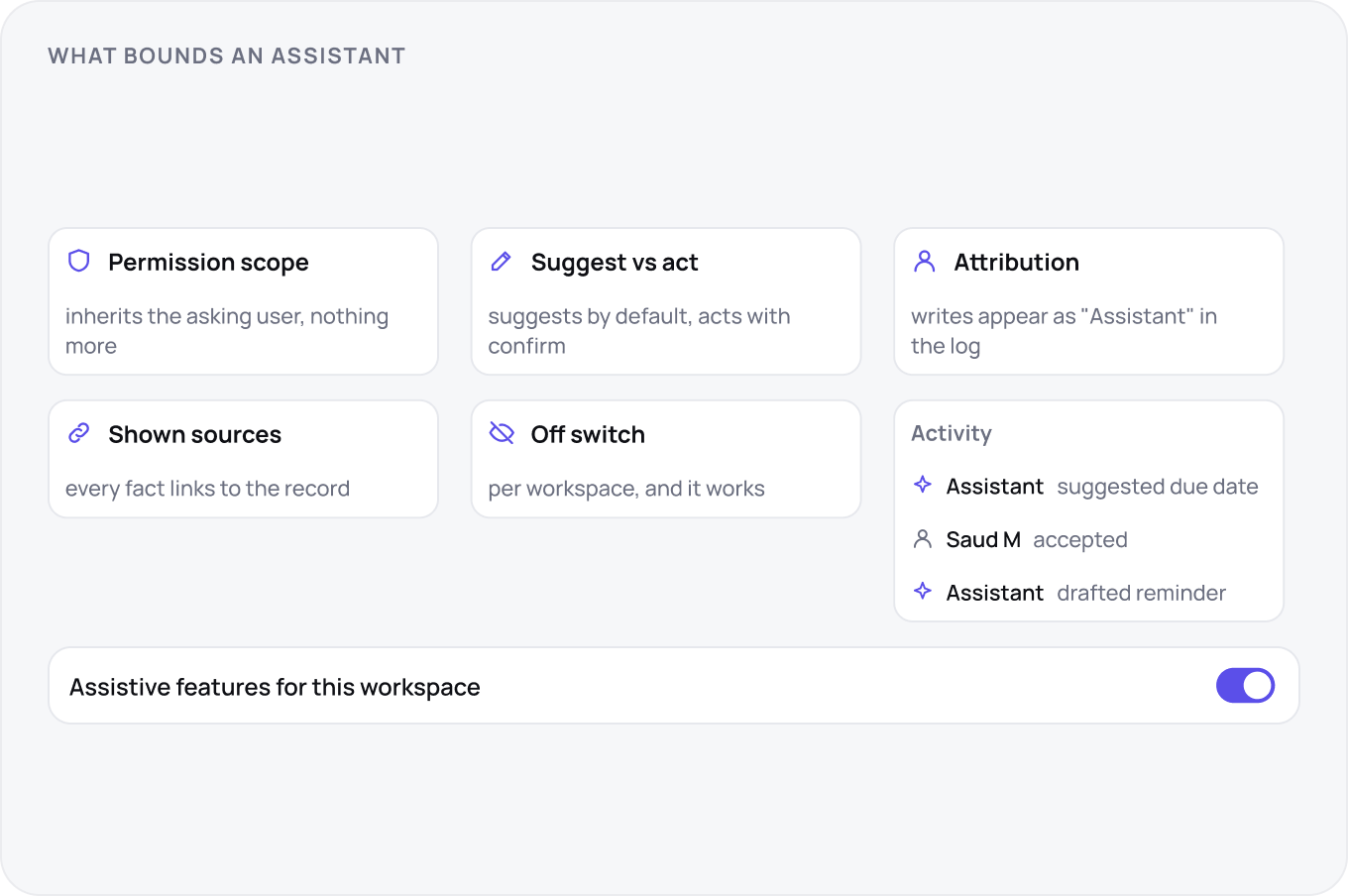
An assistant inside SaaS inherits the permissions of the user who asked and nothing more. It suggests by default and acts only with a confirm, and everything it writes is attributed to it in the activity log. Sources are shown inline. Every workspace has an off switch for assistive features, and it works.
Feedback, Notifications and Email
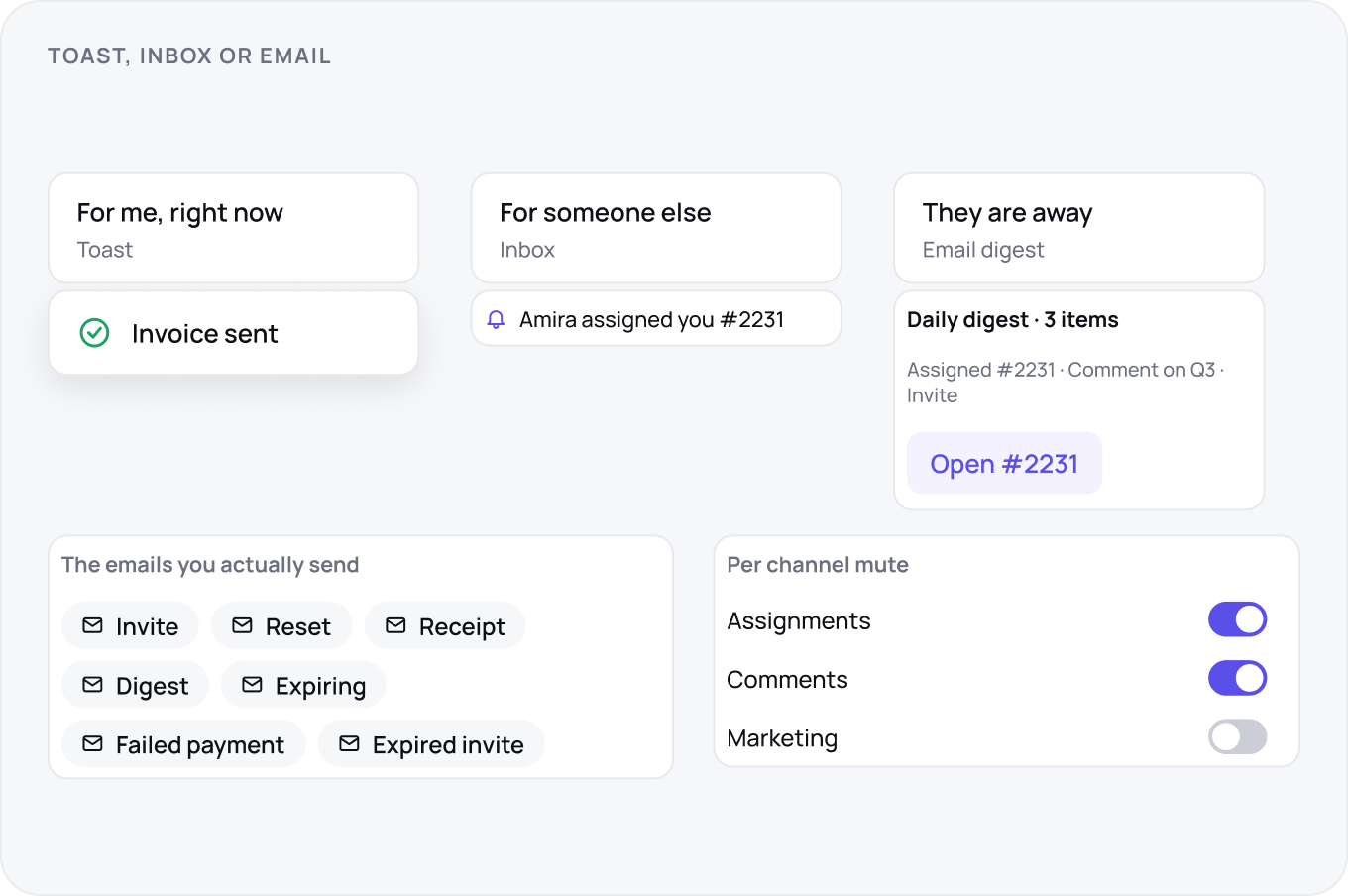
Feedback for the current user is a toast; anything for someone else goes to the inbox and, if they are away, to email. Email is digested by default, muted per channel, and every message deep links to the exact object. The emails you actually send are few: invite, reset, receipt, digest, expiring, failed payment. Design each one, including the expired invite.
Settings and Connected Accounts
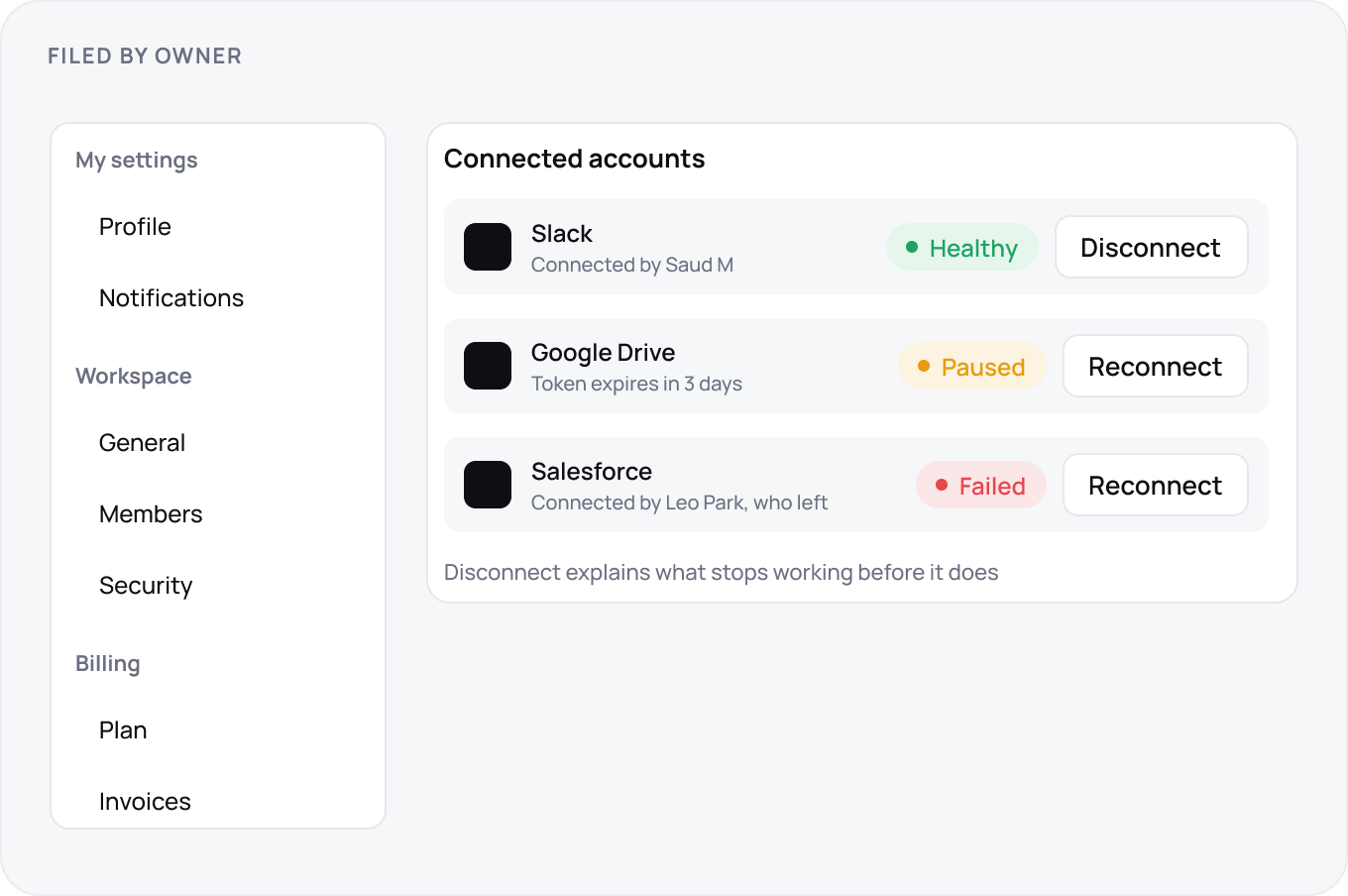
File settings by owner, not by feature: my settings, workspace settings, billing. Each setting says its scope in the label. Connected accounts show health: connected, expiring, broken, and who connected them, because the token dies when that person leaves. Disconnect explains what stops working before it does.
API, Webhooks and Integrations
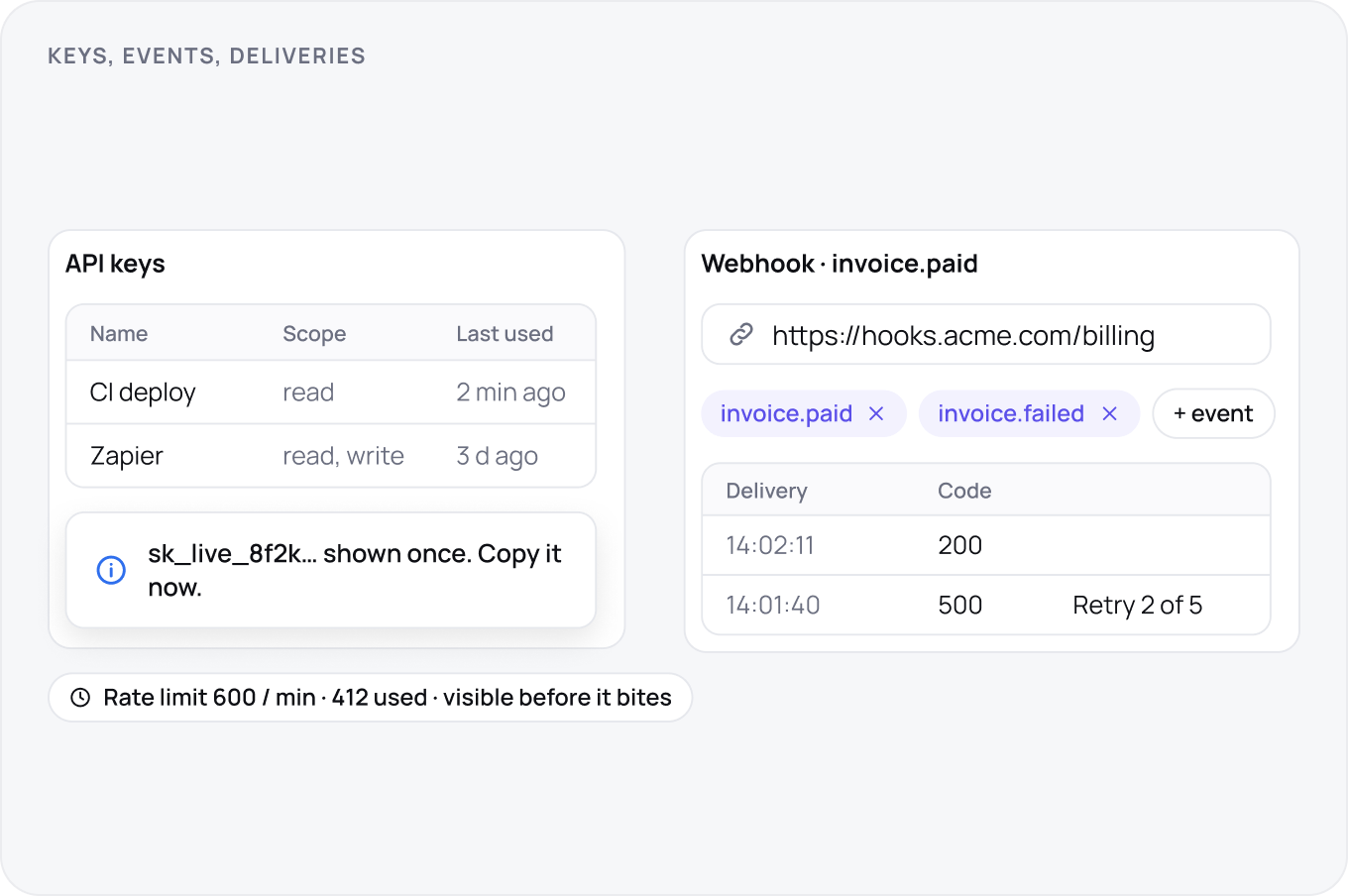
The API is a surface with its own UI: keys created with a scope and a name, shown once, listed with last used. Webhooks are configured with an endpoint, event picker and a delivery log with retry. Rate limits are visible before they bite. Integrations directory lists what connects, what it needs and who installed it.
Plans, Trials and Upgrades
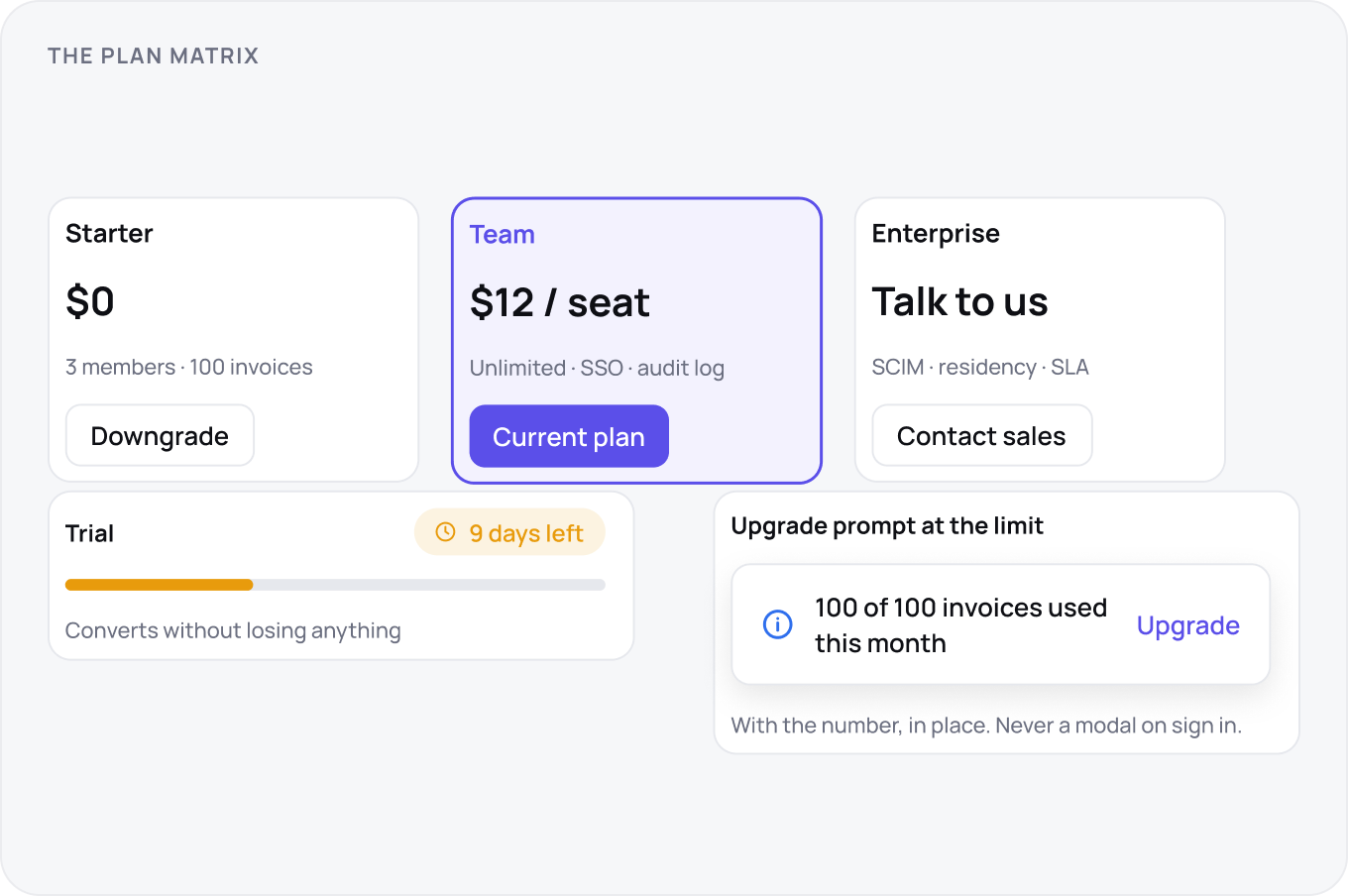
The plan page is a matrix of three plans with the differences visible, not a feature list per plan. The trial has a visible clock and converts without losing anything. Upgrade prompts appear at the limit, with the number, and never as a modal on sign in. Downgrade is self serve and says what will be lost, and enterprise means talk to us, not a hidden fourth column.
Billing, Limits and Lapse
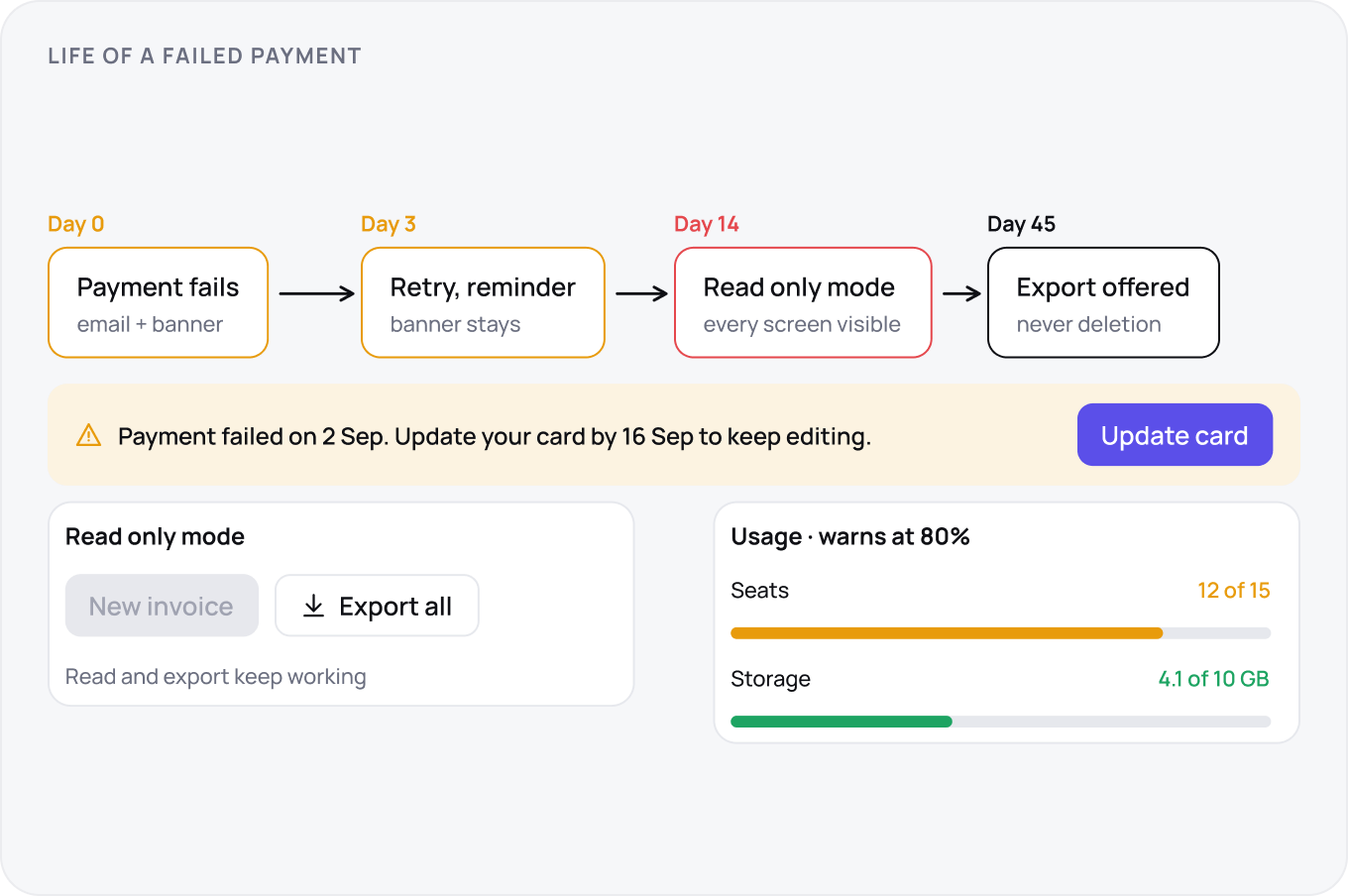
Usage meters live in settings and warn at 80 percent. A failed payment starts a grace period, seven to fourteen days, with email and in app banners, then read only mode, never deletion. Read only keeps every screen visible and every export working. Seat downgrade asks who leaves, and invoices and receipts are always downloadable, even after churn.
Admin, Audit and Trust
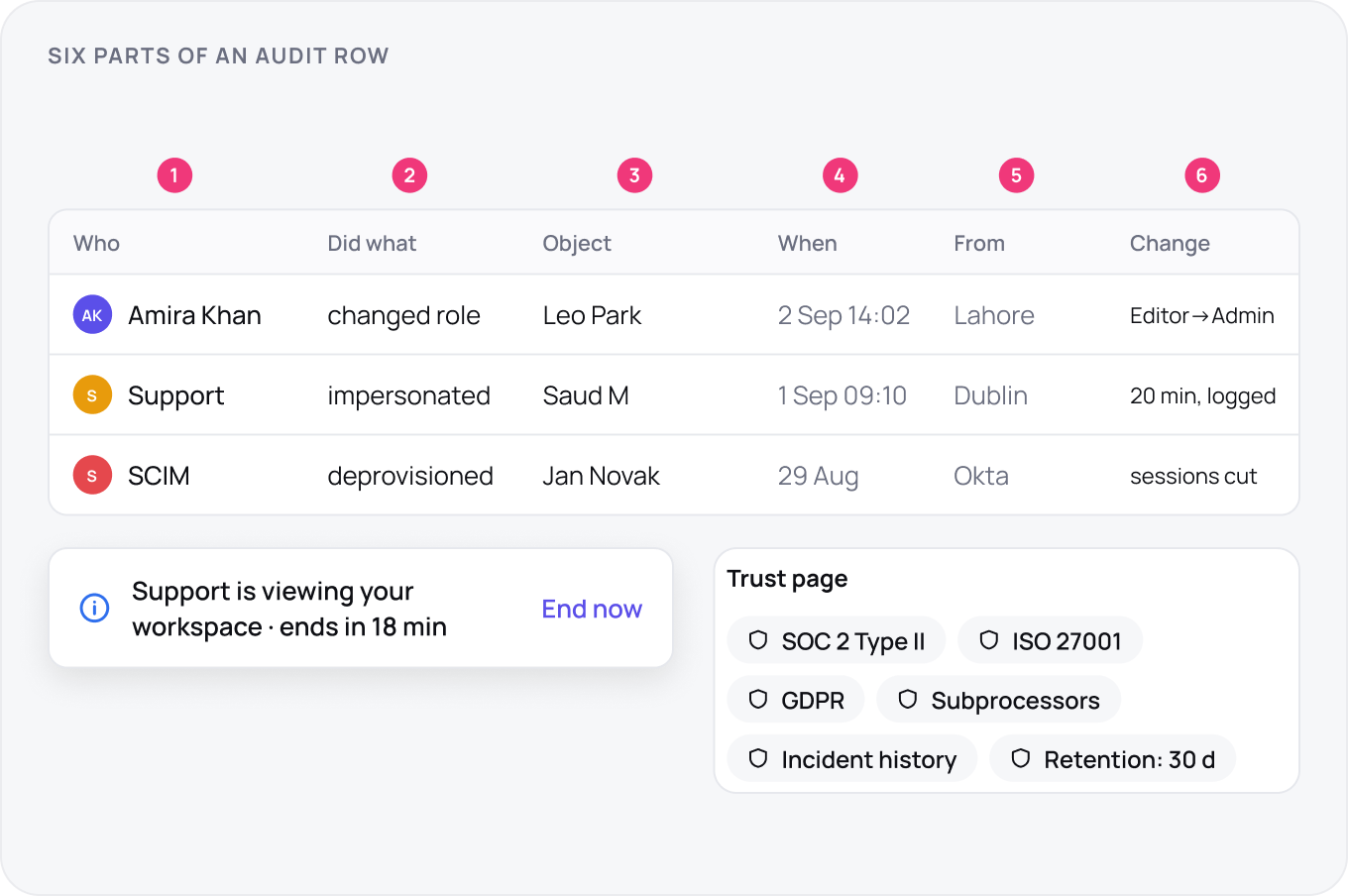
Admins get an audit log with six parts per row: who, did what, to which object, when, from where, and the before and after. Support impersonation is logged, time boxed and visible to the user. Active sessions can be ended. Retention and deletion policies are stated in the product, and a trust page lists certifications, subprocessors and incident history.
Errors, Recovery and Support
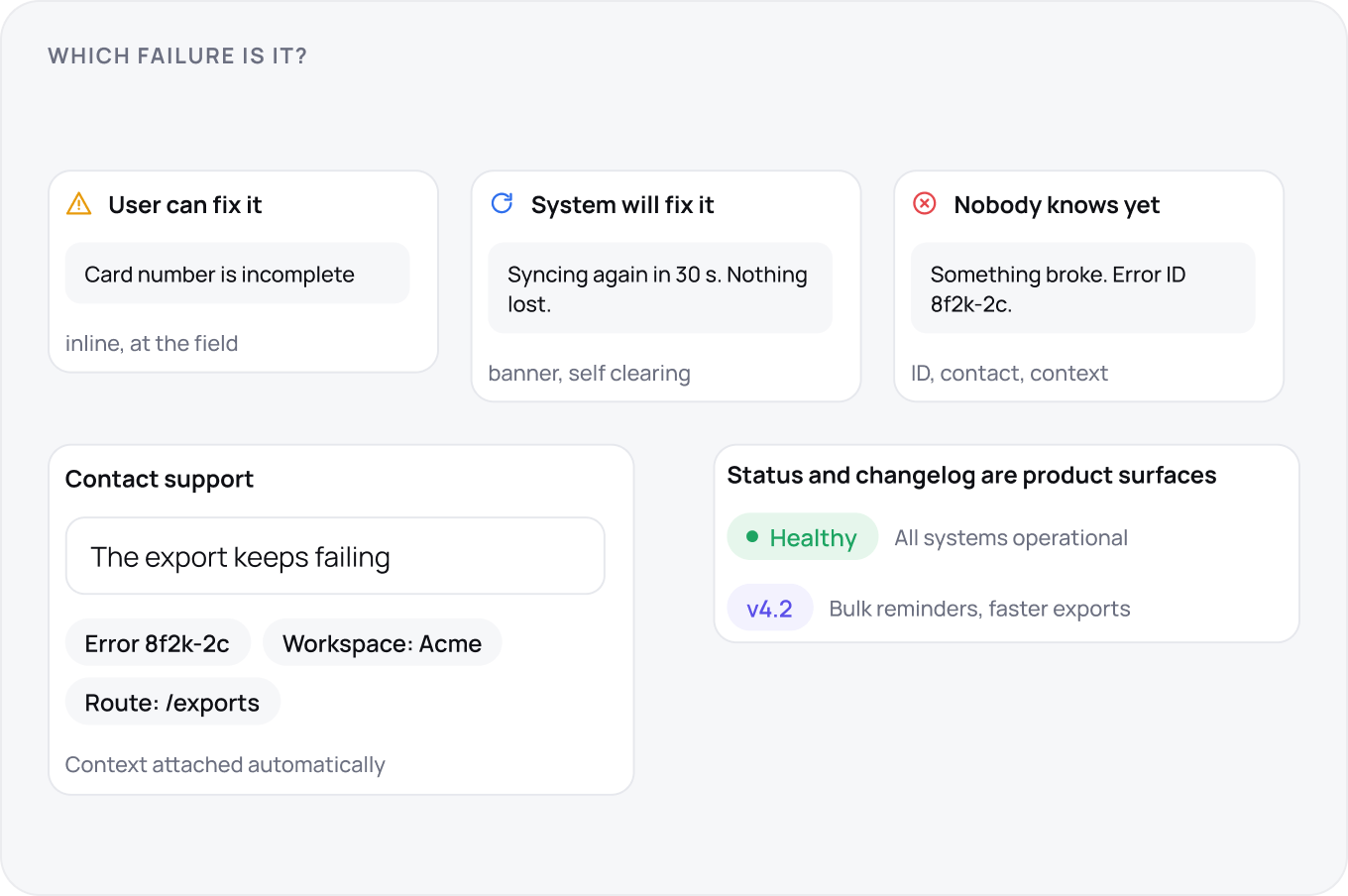
Errors fall into three classes: the user can fix it, the system will fix it, and nobody knows yet. Each class has its own message shape. Every unexpected error carries an ID the user can quote to support. Support is reachable from inside the app with the context attached. A changelog and a status page are product surfaces, not marketing.
Performance Budgets
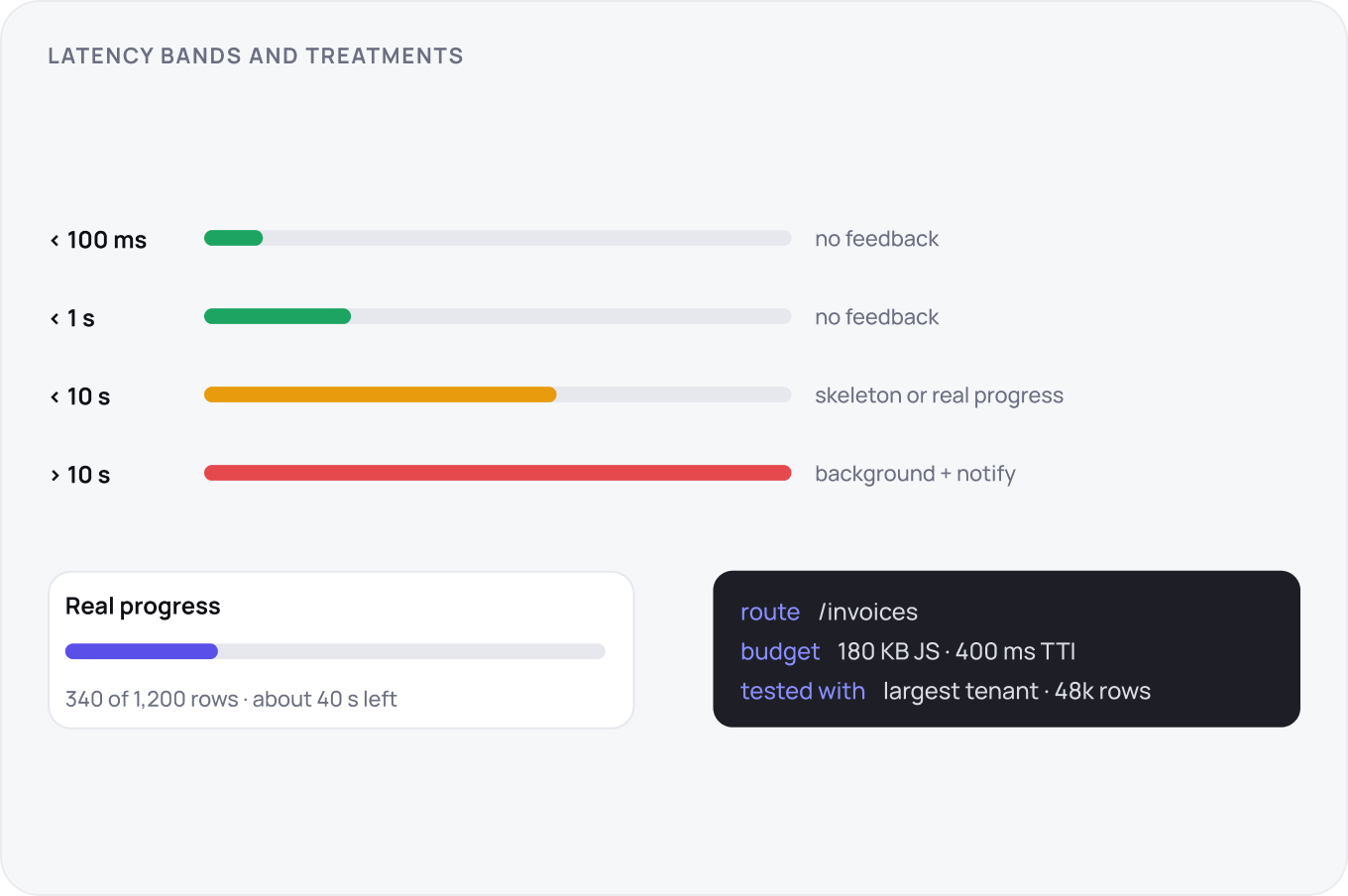
Design to bands: under 100 ms feels instant, under one second needs no feedback, under ten needs a skeleton or progress, over ten is a background job. Progress is real when possible, 340 of 1,200 rows, not a spinner. Set a payload budget per route and test with the largest tenant data, because the demo workspace lies.
Density, Responsiveness and Accessibility
SaaS is desktop first with density presets the user chooses. Mobile is scoped: reading, approving, notifying, not the whole app. The keyboard floor is that every action reachable by mouse is reachable by keyboard, with visible focus. Targets are 24 px on desktop and 44 on touch, and the whole app runs at 200 percent zoom without horizontal scroll.
Dashboards and Metrics
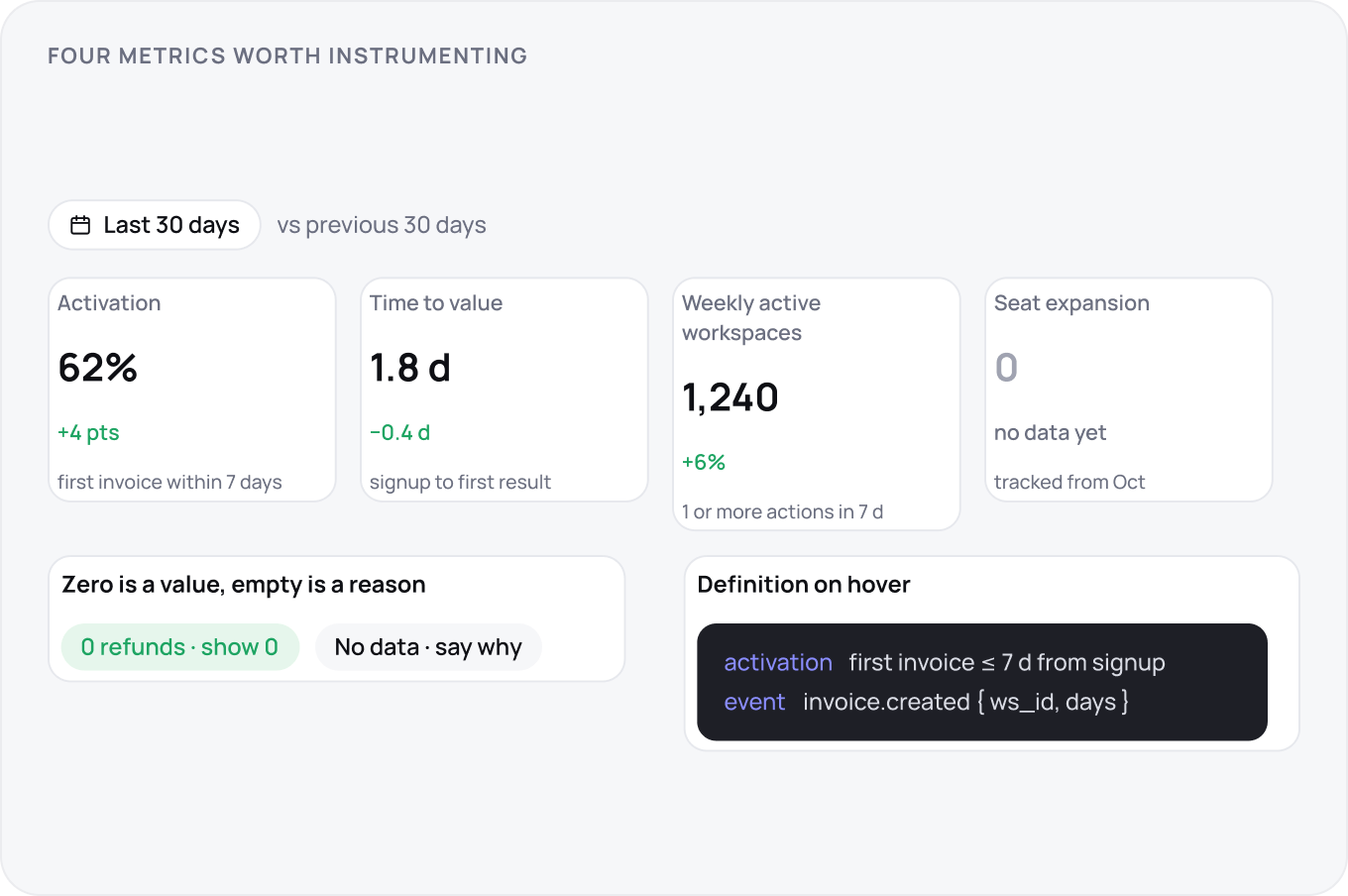
Dashboards default to a sensible range, last 30 days, with the range visible and the comparison stated. Zero is a value and shows as zero; empty means no data and says why. Every metric has a definition on hover. For the product itself, instrument activation, time to value, weekly active workspaces and seat expansion, with an event schema agreed before launch.